
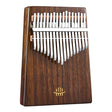


Select Model & Key
Use the top bar to switch between 15 Notes (Full Dual-Octave), 11 Notes, or 8 Notes, and choose your preferred tuning: D Major, C Major, G Major, or B♭ Major.

全站享 9 折,輸入優惠碼
Acoustic Engine Ready. Tap any tongue to play.
Explore authentic ethereal resonance directly in your browser. Switch freely between 15-Note, 11-Note, and 8-Note steel tongue drum models, tune across four major keys, learn 20+ songs with real-time glowing Practice Guide prompts, and record or export your own numbered sheet music in seconds.
No downloads or plugins required. Start playing on desktop, tablet, or mobile immediately.
Use the top bar to switch between 15 Notes (Full Dual-Octave), 11 Notes, or 8 Notes, and choose your preferred tuning: D Major, C Major, G Major, or B♭ Major.
Toggle between Both (numbered notation + note names), Numbers (Jianpu 1–7 with octave dots), or Notes (concert pitches like D4, F#4, A4) to match how you read music.
Tap any steel tongue on screen, click TUK for a warm percussive body strike, or enable keyboard shortcuts in Settings to play effortlessly from your computer keyboard.
Open Songbook & Practice to follow guided breathing lights, or use the bottom console to Record, Save takes, and Export Sheet JSON files for future practice.
Every tool built into this online steel tongue drum simulator is designed for meditation, ear training, and song mastery.
Test multiple tongue drum sizes before buying or practicing on your physical instrument:
Instantly re-tune the virtual drum and view pitch labels in real time:
Click Songbook & Practice in the header to unlock 20+ curated songs across Beginner, Easy, Medium, and Advanced tiers:
Capture your improvisations and track your musical progress directly in the console:
Create your own interactive tongue drum lessons in two steps:
my-tongue-drum-sheet.json file with calculated beat durations and notation symbols.Built for realistic sustain and responsive playability across devices:
1–7, Q–E, A–F, Spacebar) On or Off anytime.Choose the right virtual drum model for your skill level and repertoire.
| Drum Model | Skill Level | Octave & Note Coverage | Best For |
|---|---|---|---|
| 15 Notes (Dual-Octave) | All Levels / Advanced | Full range including center bass tongue (3̣), inner lower-mid ring (4̣–3), and outer high ring (4–3̇) | Full Songbook compatibility: Canon in D, River Flows in You, Carrying You, Fisherman's Song at Dusk |
| 11 Notes | Beginner to Intermediate | Expanded melodic scale with essential low-mid and upper notes | Folk melodies, ballads, soothing sound-bath improvisation, and intermediate Songbook tunes |
| 8 Notes | Beginner / Meditation | Core 1–7 diatonic scale plus octave 1̇ | First-time players, children, mindfulness breathing, and simple tunes like Twinkle, Twinkle, Little Star |
Everything you need to know about playing and practicing with our online steel tongue drum.
Simply tap or click any numbered tongue on the drum image to hear its resonant tone immediately. On desktop, you can also keep Keyboard Controls enabled in Settings and use keys 1–7, Q–E, A–F, and Spacebar to play hands-free.
The numbers 1 through 7 represent numbered musical notation (Do, Re, Mi, Fa, Sol, La, Ti). A dot below a number (such as 5̣ or 6̣) marks a lower bass octave, a plain number (1–7) marks the middle octave, and a dot above a number (such as 1̇, 2̇, 3̇) marks the higher treble octave. You can switch to concert pitch names at any time by clicking Notes or Both.
Click Songbook & Practice to open the sheet music bar and select a song. In Practice Guide mode, the next note lights up with a pulsing golden border and waits for you to strike it—flashing green on accurate hits and building your Combo streak. Switch to Auto Play if you want to hear the song performed automatically at 0.75x, 1.0x, or 1.25x speed before practicing.
Complex arrangements such as Canon in D or River Flows in You span more notes than an 8-Note or 11-Note drum physically has. The Songbook automatically checks note compatibility and displays a one-click Switch Drum Model button so you can unlock and play the full piece on the 11-Note or 15-Note drum.
Yes. Click Record in the bottom console, play your melody, and click Stop. You can replay your performance, store multiple versions with Save, or click Export Sheet to download a .json score file. Any exported or custom JSON sheet music file can be loaded back into the Songbook via Import JSON.
D Major is the most popular standard tuning for 15-Note and 11-Note steel tongue drums because its warm, balanced resonance makes almost any note sequence sound harmonious. You can also switch to C Major, G Major, or B♭ Major in the top dropdown to explore brighter or deeper moods.
Loved the virtual tones above? Explore the exact physical drums crafted in microalloyed and carbon steel for richer sustain, tactile resonance, and lifetime healing play.

Flagship 14" 15-note microalloyed steel drum paired with a free 6" 8-note high-pitch extension drum. Engravable.

Signature 8-inch square design in F Major. Ideal balance of portability and melodic range for folk and healing tunes.

Compact 6-inch vertical-stripe lotus drum tuned in standard D Major. Easy to pick up for meditation and daily calm.