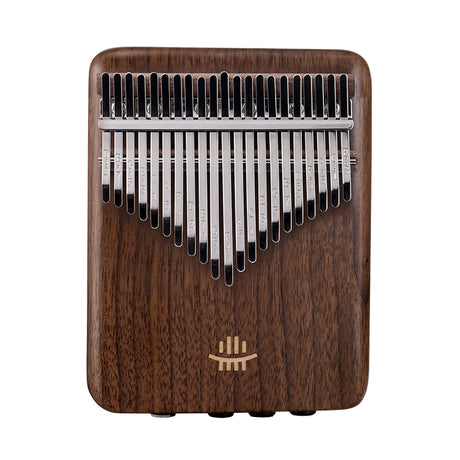
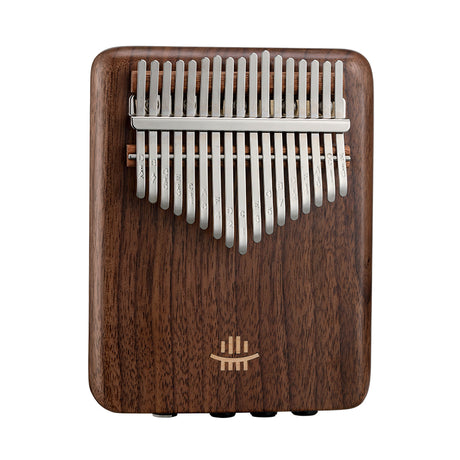
Just like a guitar or a violin, a Kalimba needs to be tuned regularly. Shipping vibrations, temperature changes, and enthusiastic playing can all cause the metal tines to shift slightly. The good news? Tuning a Kalimba is incredibly easy. You don't need a professional ear—just a simple app and a little tap.
1. Gather Your Tools
Before we start, you will need two things:
- A Tuning Hammer: This small metal hammer usually comes in the box with your Kalimba. If you lost it, a small household hammer (wrapped in a cloth to protect the keys) can work in a pinch.
-
A Tuner (App or Device): You don't need to buy a clip-on tuner. Your smartphone is powerful enough!
Recommended Free Apps:
• iOS: Instuner or Tuner Lite
• Android: gStrings or DaTuner
2. The Golden Rule of Physics
Understanding why tapping the keys works will make the process much less confusing. It's all about the length of the vibrating metal tine:
Shorter Tine = Higher Pitch (Tap from the bottom up)
Longer Tine = Lower Pitch (Tap from the top down)
3. Step-by-Step Tuning Process
Step 1: Open Your App
Launch your tuner app in a quiet room. Background noise (TV, talking, traffic) can confuse the microphone.
Step 2: Pluck the Center Key (C)
Start with the longest key in the middle, which is usually C (Key 1). Pluck it firmly once. Look at the needle on your app.
- Green / Center: Perfect! Move to the next key.
- Left / Flat (♭): The note is too low. The tine needs to be shorter.
- Right / Sharp (♯): The note is too high. The tine needs to be longer.
Step 3: Tap into Place
If the note is FLAT (Too Low):
Use your hammer to gently tap the bottom end of the key upwards. This shortens the vibrating length and raises the pitch.
If the note is SHARP (Too High):
Use your hammer to gently tap the top end of the key downwards. This lengthens the vibrating length and lowers the pitch.
You don't need to swing the hammer like Thor. The metal tines are sensitive. Use tiny, light taps and check the app after every 2-3 taps. It's easy to overshoot your target.
4. Troubleshooting Common Issues
"My High Notes Don't Sustain"
This is known as a "dead tine." On the very shortest keys (the ones on the far left and right), the metal is very stiff and doesn't vibrate as freely. While tuning can help, these keys naturally have a shorter sustain than the center keys. Ensuring the tine is firmly seated on the bridge can sometimes improve resonance.
"I Hear a Buzzing Sound"
Buzzing is usually caused by the tine vibrating against the metal bridge or wood unevenly.
The Fix: Try shifting the buzzing key slightly to the left or right (wiggle it). Or, slide a tiny piece of paper between the tine and the bridge to identify the vibration point, then readjust.
Conclusion
Tuning is a ritual that connects you with your instrument. It might feel tedious the first time, but with practice, you can tune a full 17-key Kalimba in under 3 minutes.
Remember: A well-tuned Kalimba sings; an out-of-tune one just makes noise. Keep your hammer handy and keep the melody alive!